Free Domain and Hosting Setup Guide
Posted on: 2026-03-26
By: Elena Rivers
Have you ever thought about how easy it can be to create a stunning website without spending a dime? Free website builders are the perfect solution for beginners looking to establish their online presence without the fear of upfront costs. This guide will walk you through the essentials you need to know!
What You Will Learn
- Discover the benefits of using free website builders like WordPress, Wix, and Canva, which simplify the design process.
- Compare popular website builders to find the best fit for your needs and style.
- Understand the advantages of free hosting services and how they can support your initial website journey.
- Learn essential steps for launching your site, including content proofreading and link testing.
- Get actionable tips for migrating from free to paid hosting to enhance your website’s performance.
- Reflect on your website’s analytics to assess user engagement and improve your content strategy.
Comparison of Popular Free Website Builders
Here is a quick overview highlighting the features of popular free website builders. For a more detailed comparison, check out our guide on comparing website builders.
WordPress
Offers a vast selection of themes and plugins.
Wix
Features a straightforward drag-and-drop interface.
Canva
Combines design tools with website creation for visually appealing sites.
Weebly
Known for its ease of use and integrated e-commerce features.
Squarespace
Offers beautiful design templates but has limited free options.
Understanding Free Website Builders and Hosting Options
Free website builders are platforms that allow you to create a website without any upfront costs. These tools are especially great for beginners, as they simplify the process of getting your online presence up and running. Popular examples include WordPress, Wix, and Canva, each offering unique features to cater to different needs and styles.
Have you ever considered how these platforms can help you? For instance, WordPress is perfect for those wanting flexibility and control, while Wix offers a more drag-and-drop experience, making it accessible for everyone. Canva’s website builder even integrates beautifully with its design tools, allowing for stunning visuals!
What Are Free Website Builders?
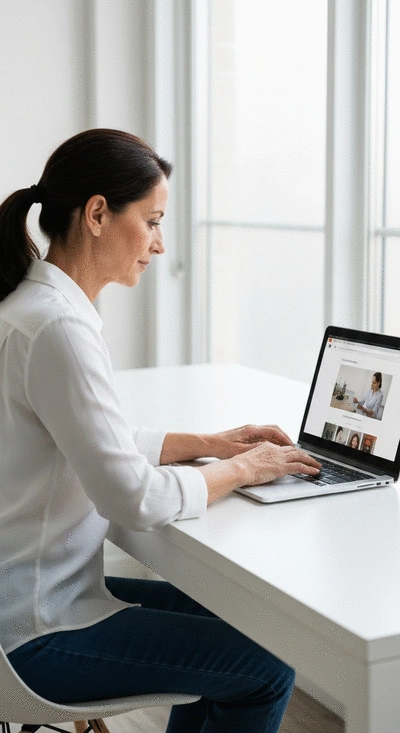
Free website builders are user-friendly platforms designed to help anyone create a website quickly and easily. They come with templates, drag-and-drop features, and customization options that make web design possible for those without technical expertise. The convenience of these builders allows you to focus on your content and creativity without getting bogged down by complicated coding. To learn more about getting started, check out our beginner's guide to building a website.
- WordPress: Offers a vast selection of themes and plugins.
- Wix: Features a straightforward drag-and-drop interface.
- Canva: Combines design tools with website creation for visually appealing sites.
Whether you're looking to start a blog, showcase your portfolio, or launch a small business, these platforms can help bring your vision to life.
Comparing Popular Free Website Builders
When it comes to choosing the right website builder, it’s essential to weigh the features of each option. Here’s a quick comparison of some popular builders:
- Weebly: Known for its ease of use and integrated e-commerce features.
- Squarespace: Offers beautiful design templates but has limited free options.
- Wix: Highly customizable with a wide range of templates and features.
By comparing these options, you can find the right fit for your specific needs. Personally, I enjoy using Wix for its flexibility, but it really depends on what you’re looking to achieve!
The Benefits of Using Free Hosting Services
Free hosting services come with several advantages, making them an excellent choice for beginners. The most significant benefit is that they have no initial costs, allowing you to start your website journey without financial pressure.
- No hosting fees, which is perfect for those just starting out.
- Easy-to-use platforms that require minimal technical skills.
- Great for testing ideas before investing in a paid service.
These services can empower you to experiment and learn without the risk, helping you build confidence in your web design skills. Remember, starting with free options can lead to valuable insights into what you want for your future website!
We Want to Hear From You!
What has been your biggest challenge when using free website builders? Share your thoughts below:
Launching and Migrating Your Free Website
Final Steps Before Going Live
Before you hit that exciting launch button, it’s crucial to cross-check a few essential settings. A well-prepared website not only impresses visitors but also functions smoothly. Here’s a handy checklist to ensure everything is in order:
- Proofread all content for typos and errors.
- Test all links to confirm they direct to the correct pages.
- Optimize your images for faster loading.
- Set up essential plugins, such as for SEO and security.
- Review your site on different devices to ensure responsiveness.
Taking these steps will help you launch a polished and professional website. Remember, your site is a reflection of your vision, so let’s make it shine from the start!
How to Transition from Free to Paid Hosting Services
Migrating from free hosting to a paid service can elevate your website’s performance. If you’re experiencing limits with your current free service, it might be time for a change! Here are some actionable tips to ensure a seamless migration:
- Backup your entire website content, including databases and files.
- Choose a reliable paid hosting provider, such as Namecheap or Hostinger.
- Install your website on the new hosting platform using a migration tool.
- Update your DNS settings to point to your new server.
- Run a thorough test to make sure everything works as intended.
By following these steps, you can transition smoothly to a paid hosting service, allowing for more flexibility and better performance as your website grows.
Reflecting on Your Free Website Experience
Assessing the Value of Your Free Website
Now that your website is live, it’s time to assess its performance. Checking your website’s analytics is essential for understanding user engagement and improving your content. Ask yourself:
- What pages are getting the most traffic?
- Are visitors staying on your site or bouncing away quickly?
- How are users interacting with your content?
Utilizing tools like Google Analytics can help you gather valuable insights. This reflection will guide you in making informed improvements, ultimately enhancing your website’s user experience.
Your Next Steps in Website Development
As you reflect on your website's performance, consider exploring advanced topics. From SEO strategies to monetization options, there are endless opportunities to grow your online presence. Here are a few areas to think about:
- Implementing SEO best practices to increase visibility.
- Exploring affiliate marketing to generate income.
- Engaging with your audience through social media integration.
These steps can take your site to the next level, and I’m here to help you navigate this exciting journey. Let's keep building on that fantastic foundation you've created! For more insights into optimizing your site, consider these essential website design tips for beginners.
Frequently Asked Questions About Free Website Builders
Q: What are the main benefits of using free website builders?
A: Free website builders allow you to create a website without any upfront costs, making them ideal for beginners. They offer easy-to-use interfaces, templates, and drag-and-drop functionalities, enabling you to build an online presence without technical expertise or financial commitment.
Q: Which free website builders are most popular, and what are their key features?
A: Popular free website builders include WordPress, known for its vast selection of themes and plugins; Wix, which features a straightforward drag-and-drop interface; and Canva, which integrates design tools for visually appealing sites. Weebly and Squarespace also offer robust features, with Squarespace having more limited free options.
Q: What should I do before launching my free website?
A: Before launching, it's crucial to proofread all content for errors, test all links to ensure they work correctly, optimize images for faster loading, set up essential plugins (like SEO and security tools), and review your site's responsiveness on various devices.
Q: How can I transition from a free website builder to a paid hosting service?
A: To transition from free to paid hosting, you should first back up all your website content. Then, choose a reliable paid hosting provider, install your website on the new platform using a migration tool, update your DNS settings to point to the new server, and perform thorough tests to confirm everything is functioning correctly.
Q: How can I assess my free website's performance after it's live?
A: After your website is live, use analytics tools like Google Analytics to track user engagement. Key metrics to monitor include page traffic, visitor retention rates (to check for quick bounces), and how users interact with your content. These insights will help you make informed improvements and enhance the user experience.
Engage with Our Community
Share Your Experiences and Questions
I’d love to hear about your journey with free website builders! Feel free to share your experiences, questions, or tips in the comments below. Engaging with fellow creators can be incredibly enriching, and together, we can support each other’s growth.
Stay Updated with Our Latest Resources
Don’t miss out on future insights and tips! Subscribe to our newsletter to stay updated with the latest resources from Website Design Free. I’m passionate about helping you succeed in your web development journey, so let’s keep the conversation going!
Recap of Key Points
Here is a quick recap of the important points discussed in the article:
- Free website builders like WordPress, Wix, and Canva simplify website creation for beginners.
- Comparing features of different platforms helps in selecting the right website builder for your needs.
- Free hosting services allow for experimentation without financial commitment.
- Before launching, ensure all content is proofread, links are tested, and images are optimized.
- Migrating from free to paid hosting can enhance website performance and flexibility.
- Utilize analytics to assess website performance and make informed improvements.
- Consider implementing SEO strategies and exploring monetization options for future growth.
 Have you ever wondered how the multimedia content on your website affects its speed and user engagem
 Choosing the right platform for your e-commerce site can make all the difference. With platforms lik
 As the digital landscape becomes increasingly complex, prioritizing website security is no longer op