Unlock Your Website Potential!

Join Elena Rivers' community for beginner-friendly tutorials, design tips, and free resources to build your stunning website.

Build a Free Online Store


Build a Free Online Store

Posted on: 2026-08-21
By: Elena Rivers


Choosing to set up an online store can be one of the most rewarding decisions for aspiring entrepreneurs. As you embark on this journey, consider the ease of access and potential for growth that these platforms offer.

What You Will Learn

  • Understand the fundamental concept and functionality of online stores.
  • Discover the benefits of starting a free online store, including low cost and user-friendly interfaces.
  • Identify key features to look for in e-commerce platforms, such as drag-and-drop builders and mobile responsiveness.
  • Evaluate the pros and cons of popular platforms like Wix and WordPress to find the right fit for your business goals.
  • Learn the importance of effective inventory management and tools available on both Wix and WordPress.
  • Master essential post-launch strategies, including performance monitoring, ongoing optimization, and leveraging customer engagement.
  • Explore advanced features and resources to further enhance your online store's growth opportunities.

Wix vs WordPress: Platform Comparison

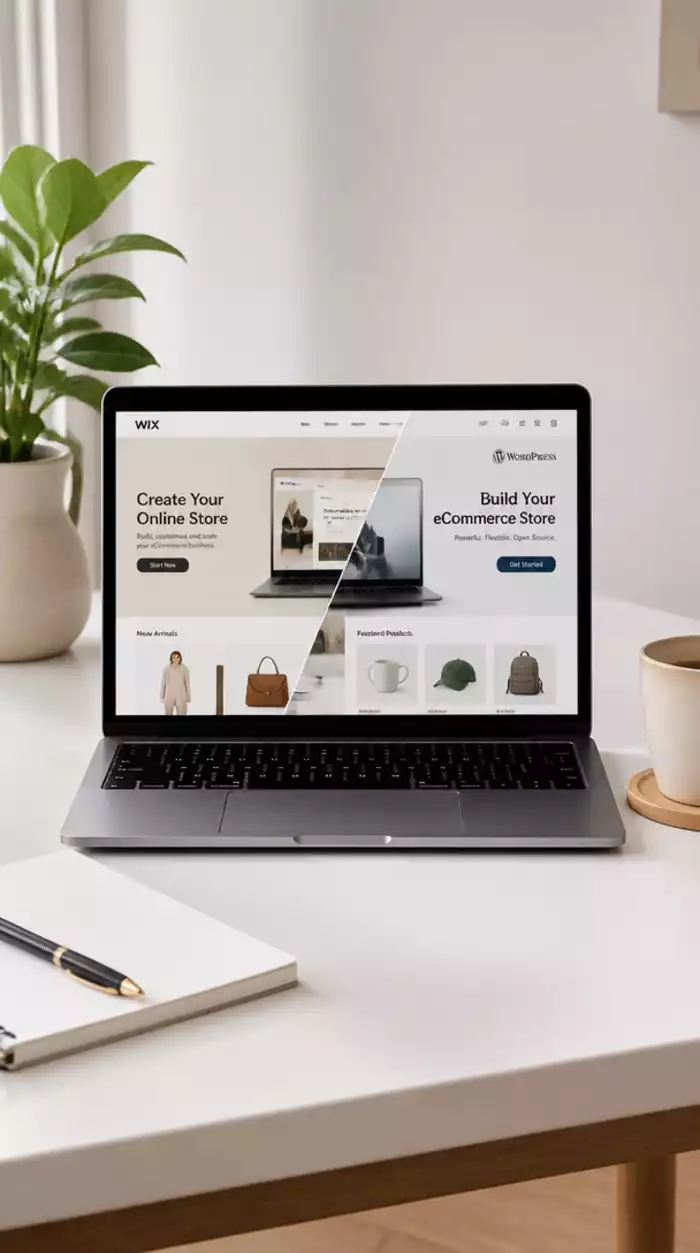
Explore the key differences between Wix and WordPress as e-commerce platforms for beginners, focusing on their strengths and weaknesses. For a more in-depth look at making the right choice, check out our guide on WordPress vs. Wix: Making Your Choice.

Wix

  • Pros: User-friendly, drag-and-drop functionality.
  • Cons: Limited scalability, fewer advanced features.

WordPress

  • Pros: Highly customizable with plugins.
  • Cons: Steeper learning curve for beginners.

Key Features Comparison

  • Wix: Simple product management, low stock notifications.
  • WordPress: Advanced reporting and integration options.

Inventory Management

  • Wix: Easy to use with built-in notifications.
  • WordPress: Robust features via WooCommerce.

Understanding the Basics of Free Online Stores

Creating a free online store can be an exciting venture, especially if you're ready to share your products with the world! But what exactly is an online store? At its core, an online store is a digital platform where you can sell goods or services to customers over the internet. It functions much like a physical store but offers the convenience of shopping from anywhere, anytime!

Online stores allow you to showcase your products, manage inventory, and process transactions, all from the comfort of your home. With platforms like Wix and WordPress, you can set up your store quickly and easily, without needing extensive technical skills. So, let's dive into why setting up a free online store is a fantastic opportunity for beginners!

Online store setup scenario

What is an Online Store and How Does It Work?

As I mentioned, an online store serves as a digital marketplace. When you set one up, you create product listings that customers can browse through. Once a customer chooses a product, they proceed to checkout, where they enter their payment information and shipping details. It’s that simple!

Online stores typically use e-commerce platforms that handle various functionalities such as product management, payment processing, and even marketing tools. As a beginner, choosing the right platform can significantly ease the setup process and help you focus on growing your business! For guidance on selecting the best builder, read our article on Choosing the Best Website Builder.

Benefits of Creating a Free Online Store

  • Low Cost: Starting with a free plan allows you to set up your store without upfront investment.
  • User-Friendly: Many platforms offer intuitive interfaces that make it easy to get started.
  • Access to Templates: You can use pre-designed templates to create a professional look without needing design skills.
  • Learning Opportunity: Running an online store helps you learn valuable skills like marketing and customer service.

These benefits make launching a free online store a no-brainer, especially if you’re just dipping your toes into e-commerce! You’ll gain experience while keeping costs low, making it a great way to explore your entrepreneurial spirit.

Key Features of E-commerce Platforms for Beginners

When selecting an e-commerce platform, you'll want to look for several key features that can make your experience smoother:

  • Drag-and-Drop Builders: Simplifies the design process, allowing you to create pages easily.
  • Mobile Responsiveness: Ensures your store looks great on smartphones and tablets.
  • Payment Processing: Integrated options for accepting payments securely.
  • Customer Support: Access to resources or support teams when you need help.

Having these features at your disposal can drastically enhance your online selling experience. I always recommend checking out user reviews and tutorials for any platform you consider to ensure it aligns with your needs!

We Want to Hear From You!

As you consider creating your free online store, what features are most important to you? Is it ease of use, customization options, or perhaps the availability of customer support? Share your thoughts below:

Frequently Asked Questions About Free Online Stores

An online store is a digital platform that allows you to sell products or services over the internet, similar to a physical store but accessible from anywhere, anytime.

Key benefits include low cost (no upfront investment), user-friendly interfaces, access to professional templates, and valuable learning opportunities in e-commerce.

Look for drag-and-drop builders for easy design, mobile responsiveness, integrated payment processing, and reliable customer support.

Wix is known for its user-friendliness and drag-and-drop functionality, ideal for beginners, but has limited scalability. WordPress, especially with WooCommerce, offers high customization and scalability but has a steeper learning curve.

Effective inventory management is crucial for sales and customer satisfaction. Wix provides a simple interface with low stock notifications, while WordPress, through WooCommerce, offers robust features and detailed reporting.

Evaluating Your Choice: Wix vs WordPress for E-commerce

As you embark on your e-commerce journey, you'll find yourself weighing the strengths and weaknesses of different platforms. Wix and WordPress are two of the most popular options for building a free online store, each with its unique set of features and limitations. Let's dive into the pros and cons of each platform to help you make an informed decision tailored to your specific needs.

Pros and Cons of Each Platform

Understanding the strengths and weaknesses of Wix and WordPress will clarify which platform aligns best with your vision. Here’s a simple breakdown:

  • Wix:
    • Pros: Extremely user-friendly with drag-and-drop functionality, making it perfect for beginners.
    • Cons: Limited scalability options for larger online stores and fewer advanced features compared to WordPress.
  • WordPress:
    • Pros: Highly customizable thanks to a vast library of plugins, allowing for unique e-commerce solutions.
    • Cons: Steeper learning curve, which might be overwhelming for those without technical skills.

Ultimately, choosing between these two platforms depends on your comfort level with technology and your long-term business goals. I’ve found that many beginners appreciate Wix for its simplicity, while others who aim for expansive growth prefer WordPress's customization capabilities.

Which Platform is Right for Your Business Goals?

When it comes to making the right choice for your online store, consider your business goals and technical comfort. Ask yourself the following:

  • Do you prioritize ease of use, or do you want extensive customization?
  • Is scalability a major factor for you, or are you focusing on starting small?
  • Are you comfortable with potential coding, or do you prefer a straightforward setup?

By reflecting on these questions, you can gain clarity on which platform suits your journey best. If you’re just starting out, I recommend giving both platforms a trial run to see which interface resonates with you. There’s no one-size-fits-all answer here!

Understanding Inventory Management Across Platforms

Effective inventory management is crucial for any online store, as it directly impacts your sales and customer satisfaction. Both Wix and WordPress offer tools to help you manage your product listings, but they do it in different ways.

  • Wix:
    • Simple product management interface that allows you to add, edit, and track inventory easily.
    • Built-in notifications for low stock levels to keep you informed.
  • WordPress:
    • Plugins like WooCommerce provide robust inventory management features with detailed reporting capabilities.
    • Ability to integrate with various inventory management systems for advanced needs.

Whichever platform you choose, ensure it aligns with how you plan to manage your products. Effective inventory management leads to improved customer experience and helps streamline your e-commerce operations.

Post-Launch Checklist for Your Online Store

Launching your online store is just the beginning! After going live, there are several essential steps to ensure your store thrives. Let’s take a closer look at what you need to consider.

Monitoring Performance and Sales with Analytics

Once your store is up and running, tracking its performance is key. Utilize analytics tools to monitor visitor behavior, sales trends, and inventory levels. Set specific goals, such as:

  • Understanding page views and bounce rates
  • Tracking conversion rates to optimize sales
  • Identifying your best-selling products for future promotions

These insights will empower you to make informed decisions and drive your store's growth effectively!

Ongoing Optimization: SEO and User Experience Tips

To keep your store visible in search engines, continuous optimization is crucial. Here are a few tips to enhance both your SEO and user experience:

  • Regularly update product descriptions with relevant keywords.
  • Ensure your site is mobile-friendly, as more customers shop on their phones.
  • Optimize images for faster loading times.

Remember, optimizing your site is an ongoing process that can significantly impact your online visibility and sales! For more expert advice, explore our Essential UX Design for Beginners guide.

Utilizing Email Marketing and Customer Reviews for Growth

Building a relationship with your customers can lead to repeat business. Consider implementing email marketing strategies that include:

  • Sending out regular newsletters featuring new products and promotions.
  • Encouraging customer reviews to build trust and authenticity.
  • Utilizing feedback to improve your offerings and customer service.

Engaging with your customers through email not only keeps them informed but also enhances your brand loyalty!

Next Steps: Taking Your E-commerce Journey Further

As you settle into running your online store, it’s time to think about the future! There are countless opportunities to expand your business further.

Exploring Advanced Features and Marketing Strategies

Once you're comfortable with the basics, consider diving into more advanced features. From offering subscription services to utilizing marketing automation, these can help take your e-commerce strategy to the next level.

Community Resources and Support Systems

Don’t forget to leverage community resources! Platforms like forums, social media groups, and webinars provide invaluable support and inspiration as you grow your store.

Leveraging User-Generated Content and Testimonials

Finally, consider encouraging user-generated content. Sharing customer testimonials and photos can enhance your store’s credibility and attract potential buyers. Ask your satisfied customers to share their experiences and feature those highlights prominently on your site!

Recap of Key Points

Here is a quick recap of the important points discussed in the article:

  • Starting a free online store is cost-effective and user-friendly, making it ideal for beginners.
  • Key features to look for in e-commerce platforms include drag-and-drop builders, mobile responsiveness, and customer support.
  • Wix is great for simplicity, while WordPress offers extensive customization for growth-oriented users.
  • Effective inventory management is crucial for maintaining sales and customer satisfaction.
  • Continuous optimization for SEO and user experience is essential for business growth.
  • Engaging in email marketing and utilizing customer reviews can enhance brand loyalty and drive repeat business.
E-commerce growth strategies
Subscribe & Share
Website Builders for AI Content Website Builders for AI Content As we dive into the world of AI website builders, consider how these innovative tools could transfor
Build a Free Online Store Build a Free Online Store Choosing to set up an online store can be one of the most rewarding decisions for aspiring entrepren
Trustworthy Design for User Credibility Trustworthy Design for User Credibility In today's online world, where first impressions matter more than ever, the design of your website p
Banner
Website Design Free

Your go-to resource for mastering website creation without coding. We help beginners and small businesses with practical tutorials, tool comparisons, and expert design tips.

Trusted by aspiring web designers, our mission is to provide accessible, easy-to-follow insights backed by Elena Rivers' years of digital design expertise.

Learn More
Recent Posts
Website Builders for AI Content Website Builders for AI Content

As we dive into the world of AI website builders,

Build a Free Online Store Build a Free Online Store

Choosing to set up an online store can be one of t

Trustworthy Design for User Credibility Trustworthy Design for User Credibility

In today's online world, where first impressions m

Quick Tips for Your Website Design Journey