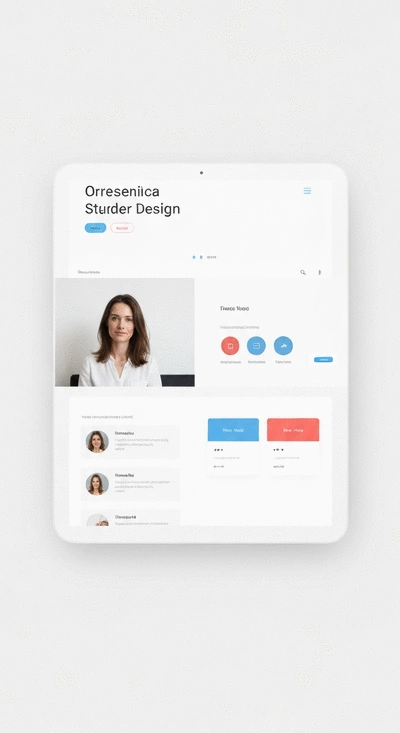
Unlock Your Website Potential!

Join Elena Rivers' community for beginner-friendly tutorials, design tips, and free resources to build your stunning website.

Budget-Friendly Website Design Guide


Small Business Website Design Tutorial: Build a Professional Site on a Budget

Posted on: 2026-01-22
By: Elena Rivers


Creating a strong online presence is essential for small businesses. Did you know that a professional website can significantly enhance customer perception and trust? Discover how affordable web design can transform your business!

What You Will Learn

  • The significance of a professional website in establishing credibility and trust with potential customers.
  • Budget-friendly strategies for building a stunning website without overspending.
  • Essential steps to create an effective website, from choosing the right platform to integrating SEO best practices.
  • The importance of ongoing content updates to enhance SEO and keep user engagement high.
  • Effective design strategies to encourage visitors to take action through clear calls-to-action.
  • How to develop a cohesive content strategy that aligns with your brand and engages your audience.

Key Steps for Designing Your Small Business Website

Breaking down the process into manageable steps can simplify your journey to a professional website. For those just starting, our beginners guide to building a website offers a comprehensive roadmap.

Choose the Right Platform

Select a website builder that aligns with your needs, like WordPress for flexibility or Wix for ease of use.

Domain and Hosting

Research and choose affordable options that will provide reliable service for your site.

Select Themes and Templates

Look for free or budget-friendly templates that fit your business style and branding.

Customize Your Site

Use basic HTML/CSS tips to tailor your website to reflect your unique identity.

Integrate SEO Best Practices

Optimize your content with relevant keywords to improve visibility.

Understanding the Importance of Affordable Web Design for Small Businesses

Creating a strong online presence is vital for small businesses, and affordable web design plays a crucial role in this process. It’s not just about having a website; it’s about having a professional one that represents your brand effectively. With so many affordable options available today, it’s easier than ever to build a site that not only looks good but also functions well.

Have you ever considered how a well-designed website can influence your customer’s perception? A professional site can instill trust and credibility, making visitors more likely to engage with your business. In fact, studies show that a stunning website can directly impact your bottom line by converting visitors into loyal customers!

User interacting with a professional website on a laptop

Why a Professional Website is Essential for Your Small Business

In today’s digital age, your website is often the first point of contact between you and potential clients. It’s your chance to make a lasting impression! Here are a few reasons why a professional website is essential:

  • Establish Credibility: A well-crafted website showcases your expertise and reliability.
  • Improve Visibility: An online presence makes it easier for customers to find you through searches.
  • Enhance Customer Engagement: Engaging content and easy navigation keep visitors on your site longer.
  • Showcase Products and Services: A professional site effectively displays what you offer to potential customers.

Investing in your website is investing in your business future. Remember, first impressions matter, and it’s essential to get it right from the start!

The Budget-Conscious Approach: Building a Site Without Breaking the Bank

At Website Design Free, we understand that small business owners often work with tight budgets. Fortunately, building a professional website doesn’t have to drain your finances. There are numerous free and low-cost tools available that can help you create a stunning site without breaking the bank. Here are some budget-friendly approaches to consider:

  • Use Free Website Builders: Platforms like Wix and Carrd offer free plans that are ideal for beginners.
  • Opt for Affordable Hosting: Look for hosting providers that offer competitive pricing for small businesses.
  • Leverage Free Resources: Utilize free templates and design tools that align with your brand.
  • Learn Basic Skills: Equip yourself with basic design skills through free online courses.

These strategies not only help you save money, but they also empower you to take control of your web design journey. With the right tools and resources, you can achieve a professional look for your website without overspending! For more insights into choosing the right platform, explore our guide on Wix or WordPress: A Beginner's Guide.

Pro Tip

Did you know? Integrating a blog into your website can significantly boost your SEO and engage your audience. Regularly publishing informative content not only establishes your authority in your niche but also provides fresh material for search engines to index, helping your site rank higher in search results. Consider sharing tips, industry news, or behind-the-scenes insights to keep your visitors coming back for more!

Putting It All Together: Your Path to a Professional Website

Creating a professional website for your small business might feel like a daunting task, but when you break it down into manageable steps, it becomes a clear and achievable goal. I remember when I first started my journey in web design, and how every small step forward felt like a victory! Now, let's recap the key steps we've covered to help you design your site.

Recap of Key Steps in Designing Your Small Business Website

  • Choose the Right Platform: Select a website builder that aligns with your needs, like WordPress for flexibility or Wix for ease of use.
  • Domain and Hosting: Research and choose affordable options that will provide reliable service for your site.
  • Select Themes and Templates: Look for free or budget-friendly templates that fit your business style and branding.
  • Customize Your Site: Use basic HTML/CSS tips to tailor your website to reflect your unique identity.
  • Integrate SEO Best Practices: Optimize your content with relevant keywords to improve visibility.

By focusing on these essential steps, you can confidently create a website that not only looks great but also works effectively for your business goals. Remember, it’s all about taking it one step at a time!

Next Steps: How to Get Started with Your Website Design Project

Now that you have a solid foundation, it's time to roll up your sleeves and dive into your website project! First things first, I recommend you start with a clear plan. Jot down what you want your website to achieve. Are you looking to attract new clients, showcase your portfolio, or perhaps share valuable content? Knowing your goals will guide every decision you make moving forward!

  • Define Your Goals: Write down what you want to accomplish with your site.
  • Choose Your Platform: Based on your needs, select the platform that best suits you.
  • Set a Timeline: Create a realistic timeline for each phase of your project.
  • Gather Your Content: Prepare your website copy, images, and any other materials you'll need.
  • Start Building: Begin designing your site, using the knowledge and resources you've gathered!

Remember, you don’t have to do it all at once! Take it step by step and reach out for help if you need it. The support community at Website Design Free is always here for you, whether it’s through our tutorials or our active forums!

Engaging Your Audience: The Importance of Ongoing Content Updates

Creating your website is just the beginning; keeping it fresh and engaging is key to maintaining interest and improving your SEO rankings. I can't stress enough how crucial it is to keep your content up-to-date!

Why Regular Content Refreshes Matter for SEO and User Engagement

Regularly updating your website not only keeps your audience engaged but also signals to search engines that your site is alive and relevant. This, in turn, can positively impact your SEO. Here are a few reasons why content refreshes matter:

  • Improved SEO Ranking: Fresh content is favored by search engines, helping your site appear higher in search results.
  • Enhances User Experience: Engaging and current content keeps visitors coming back for more.
  • Builds Authority: Regular updates position you as an expert in your field, building trust with your audience.

By prioritizing regular content updates, you’re not only engaging your audience but also improving your website’s performance overall! For more detailed guidance, consider these essential website design tips for beginners.

Encouraging Action: How to Draw In Clients Through Effective Website Design

Designing your website with clear calls-to-action (CTAs) can make a significant difference in converting visitors into clients. Think about what actions you want your audience to take when they visit your site. Here are some effective strategies:

  • Clear Navigation: Make it easy for users to find what they need.
  • Compelling CTAs: Use strong, action-oriented language that encourages users to sign up, contact you, or make a purchase.
  • Engaging Visuals: Use images and graphics that capture attention and convey your brand message.

Remember, your website should guide visitors smoothly toward taking action, whether that’s signing up for your newsletter or reaching out for your services!

Creating a Content Strategy that Aligns with Your Brand

Lastly, having a well-thought-out content strategy will keep your website cohesive and aligned with your brand's message. This is where you can express your unique voice and connect with your audience on a deeper level. Start by defining your brand’s core message and values.

  • Identify Your Audience: Know who you’re speaking to and what they care about.
  • Set Content Goals: Determine what you want to achieve with your content (e.g., educating, entertaining, or converting).
  • Plan Your Content: Create a content calendar to ensure regular updates and consistency.

With a solid content strategy, you can ensure your website not only attracts visitors but also keeps them engaged and eager for more!

Professional website design mockup

Recap of Key Points

Here is a quick recap of the important points discussed in the article:

  • Establish Credibility: A professional website enhances your business's trustworthiness.
  • Improve Visibility: An online presence is crucial for customers to find your business.
  • Utilize Budget-Friendly Tools: Free website builders and templates can help create a stunning site affordably.
  • Integrate SEO Best Practices: Optimize your content for better search engine visibility.
  • Regular Content Updates: Keep your website fresh to enhance user engagement and SEO performance.

Frequently Asked Questions (FAQs)

A professional website establishes credibility, improves visibility, enhances customer engagement, and effectively showcases your products and services, acting as the primary point of contact for potential clients.
You can utilize free website builders like Wix or Carrd, opt for affordable hosting, leverage free templates and design tools, and learn basic design skills through free online courses.
Key steps include choosing the right platform, selecting a domain and hosting, picking suitable themes/templates, customizing your site, and integrating SEO best practices.
Regular content updates improve your SEO ranking by signaling relevance to search engines, enhance user experience by keeping content fresh and engaging, and build authority in your niche.
Effective design uses clear navigation, compelling calls-to-action (CTAs) with action-oriented language, and engaging visuals to guide visitors smoothly toward desired actions like signing up or making a purchase.

Subscribe & Share
SEO Tips for Website Builders SEO Basics for Website Builders: Optimize Your Site for Google Rankings As the digital landscape continues to evolve, understanding the nuances of SEO becomes vital for any
Effective CTA Design for Conversions Call-to-Action (CTA) Design Tips That Boost Conversions Effective design is not just about aesthetics; it plays a crucial role in guiding user behavior and
SEO Features in Wix, WordPress, Carrd What to Know About SEO Features in Wix, WordPress, and Carrd Choosing the right website builder can be pivotal for your online success. Whether you're a novice o
Banner
Website Design Free

Your go-to resource for mastering website creation without coding. We help beginners and small businesses with practical tutorials, tool comparisons, and expert design tips.

Trusted by aspiring web designers, our mission is to provide accessible, easy-to-follow insights backed by Elena Rivers' years of digital design expertise.

Learn More
Recent Posts
SEO Basics for Website Builders: Optimize Your Site for Google Rankings SEO Tips for Website Builders

As the digital landscape continues to evolve, unde

Call-to-Action (CTA) Design Tips That Boost Conversions Effective CTA Design for Conversions

Effective design is not just about aesthetics; it

What to Know About SEO Features in Wix, WordPress, and Carrd SEO Features in Wix, WordPress, Carrd

Choosing the right website builder can be pivotal

Quick Tips for Your Website Design Journey