Unlock Your Website Potential!

Join Elena Rivers' community for beginner-friendly tutorials, design tips, and free resources to build your stunning website.

WordPress vs Wix for Portfolios


Pros and Cons of Using WordPress vs Wix for Portfolio Websites

Posted on: 2026-01-04
By: Elena Rivers


In the world of web design, the choice between platforms can dictate not only the look of your portfolio but also your overall success in showcasing your talents. As the demand for online presence grows, understanding the core differences between WordPress and Wix becomes essential for creatives. Here’s what you can expect to gain from this article.

What You Will Learn

  • The growing importance of portfolio websites for showcasing creativity and attracting clients.
  • Key factors to consider when choosing between WordPress and Wix for your portfolio needs.
  • Pros and cons of using WordPress, including customization options and SEO capabilities.
  • Advantages of Wix, such as its user-friendly interface and drag-and-drop features.
  • How customer support and community resources can impact your website-building experience.
  • Strategies for planning your content and branding effectively on your portfolio site.

Pros and Cons of WordPress vs Wix for Portfolio Websites

A comparison of the key strengths and weaknesses of WordPress and Wix that can help you choose the right platform for your portfolio.

WordPress

  • Pros:
    • Highly customizable
    • Extensive plugin options
    • Great for SEO
  • Cons:
    • Steeper learning curve
    • Requires more hands-on management

Wix

  • Pros:
    • User-friendly
    • Drag-and-drop interface
    • Built-in templates
  • Cons:
    • Limited customization
    • Less flexibility for advanced features

Understanding the Landscape: WordPress vs Wix for Portfolio Websites

As a web designer myself, I’ve seen firsthand how crucial portfolio websites are for creatives looking to showcase their work. Whether you're a photographer, a graphic designer, or a writer, having an online presence that reflects your unique style is essential. Portfolio websites not only serve as a digital resume but also a platform for potential clients to view your creativity and expertise. In today’s digital age, standing out from the crowd can significantly impact your career opportunities! For more insights into optimizing your online presence, check out our guide on essential website design tips for beginners.

Web designer working on a laptop with a portfolio website on screen

The demand for visually appealing and functional portfolio websites has surged, as many professionals aim to present their work in the best light possible. With various web design platforms available, choosing the right one can feel overwhelming. That’s why I’m excited to help you navigate the key differences between WordPress and Wix—two of the most popular choices for building portfolio websites.

The Growing Importance of Portfolio Websites in the Creative Industry

Portfolio websites have become a staple for anyone in the creative field. They act as the perfect blend of showcase and self-promotion, allowing artists to connect with their audience. But why are they so vital? Here’s a quick list of reasons:

  • Demonstrate your skills and creativity in one place.
  • Attract potential clients and job opportunities.
  • Establish your personal brand and online presence.
  • Provide a platform for sharing your story and design process.

As you can see, having a well-crafted portfolio can open doors you didn’t even know existed! It’s no longer just about having a social media presence; clients are actively looking for dedicated online portfolios to gauge your professionalism and artistic vision.

Why Choosing the Right Platform Matters for Your Portfolio

Choosing the right platform to build your portfolio website is paramount. Each platform offers unique features suited to different needs. For example, WordPress is renowned for its extensive customization options, while Wix shines through its user-friendly interface. This can make a world of difference, especially for those just starting out! If you're still weighing your options, our detailed comparison of Wix or WordPress: A Beginner's Guide can provide further clarity.

Consider the following when making your choice:

  • Ease of use: How comfortable do you feel with the platform?
  • Customization options: Does it allow you to create a unique design?
  • SEO capabilities: How well can you optimize your portfolio for search engines?
  • Cost: What’s your budget for maintaining your website?

Understanding these factors will help you make an informed decision that aligns with your creative vision and technical comfort level. At Website Design Free, we believe that everyone should have the opportunity to build a professional online presence without feeling overwhelmed, and I’m here to guide you every step of the way!

Pro Tip

When building your portfolio, remember to keep your target audience in mind. Tailor your content and design to resonate with potential clients or employers. Highlight projects that align with the type of work you want to attract, and don't hesitate to incorporate personal branding elements that make your portfolio uniquely yours!

Making Your Decision: WordPress vs Wix for Your Portfolio

When it comes to creating your portfolio website, choosing between WordPress and Wix can feel overwhelming. Each platform has its unique strengths and weaknesses. Let's break down the pros and cons of both so you can make an informed decision!

Summarizing the Pros and Cons of Each Platform

Here’s a quick overview of what you can expect from WordPress and Wix:

  • WordPress:
    • Pros: Highly customizable, extensive plugin options, and great for SEO.
    • Cons: Steeper learning curve, requires more hands-on management.
  • Wix:
    • Pros: User-friendly, drag-and-drop interface, and built-in templates.
    • Cons: Limited customization compared to WordPress, and less flexibility for advanced features.

This breakdown helps you weigh what matters most for your portfolio. If you prioritize customization and scalability, WordPress might be your best choice. However, if you want a quick and straightforward setup, Wix offers an easy entry point. For those looking to quickly establish an online presence, exploring options to build your portfolio website easily can be incredibly beneficial.

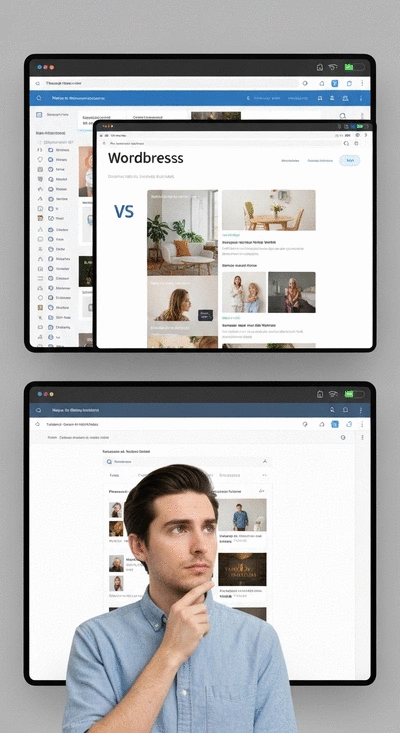
Person choosing between two website platforms on a split screen, representing WordPress and Wix

Choosing the Right Fit: Consider Your Unique Needs

Ultimately, the right platform for your portfolio will depend on your specific goals and needs. Ask yourself these questions:

  • What is the primary purpose of your portfolio? Are you showcasing creative work, or do you need to integrate an eCommerce function?
  • How comfortable are you with technology? Do you prefer a simple setup, or are you ready to dive deeper into customization?
  • What are your long-term plans for your portfolio? Do you envision it evolving into a larger site?

By reflecting on these questions, you can better align your choice with your vision. Remember, the goal is to create a portfolio that truly represents your work and style!

Evaluating Customer Support and Community Resources

Another important factor to consider is the level of support you can expect from each platform. Both WordPress and Wix have communities and resources, but they differ in approach.

  • Wix: Offers a comprehensive help center and chat support, making it easy to find answers quickly. They provide a friendly environment for beginners.
  • WordPress: Benefits from a large community of developers and users. You'll find countless forums, blogs, and tutorials, but support can vary widely depending on the plugin or theme.

When starting out, having accessible support can make a significant difference in your website-building journey. Choose the platform that matches your comfort level with troubleshooting and seeking help!

Next Steps: Building a Portfolio That Stands Out

Now that you have a clearer understanding of WordPress and Wix, it's time to take the next steps in building an outstanding portfolio. This is where your creativity gets to shine!

Getting Started with Your Chosen Platform

Once you've made your choice, starting is easy! Here’s a quick guide to kickstart your journey:

  • Set up your account on the chosen platform.
  • Select a template or theme that resonates with your personal style.
  • Begin adding your content, focusing on high-quality images and descriptions of your work.

The key is to start small and build your site step by step. There's no rush! Take your time to ensure every element reflects your brand.

Resources for Further Learning and Support

As you embark on your web design journey, don't forget that resources are your best friend. Here are some valuable options:

  • Join online forums or Facebook groups for WordPress or Wix users to share insights and ask questions.
  • Check out tutorials on Website Design Free for practical tips and tricks tailored for beginners.
  • Consider enrolling in my "Website Design Free Pro Masterclass" for deeper insights and hands-on guidance!

These resources can significantly enhance your learning experience and make the process feel less daunting. Remember, you're not alone!

Planning Your Content Strategy for Effective Branding

As you build your portfolio, having a content strategy can elevate your brand. Think about how you present your work and engage your audience. Here are a few strategies to consider:

  • Showcase your best projects prominently on the homepage.
  • Write compelling descriptions that tell the story behind each piece.
  • Consider blogging about your creative process or industry trends to attract more visitors.

With a clear strategy in mind, you’ll not only showcase your work but also build a connection with your audience. Now let’s create something amazing together!

Frequently Asked Questions (FAQs)

  • Why is a portfolio website important for creatives?
    Portfolio websites are crucial for showcasing skills and creativity, attracting potential clients and job opportunities, establishing a personal brand, and sharing your story and design process.
  • What are the main differences between WordPress and Wix for portfolios?
    WordPress offers extensive customization, vast plugin options, and strong SEO capabilities but has a steeper learning curve. Wix is user-friendly with a drag-and-drop interface and built-in templates but has limited customization and less flexibility.
  • How do I choose the right platform for my portfolio?
    Consider ease of use, customization options, SEO capabilities, and cost. Reflect on your comfort level with technology and your long-term vision for the website.
  • What kind of support can I expect from WordPress and Wix?
    Wix provides a comprehensive help center and chat support. WordPress benefits from a large community with numerous forums, blogs, and tutorials, though support can vary by plugin or theme.
  • What should I focus on when planning my content strategy for a portfolio?
    Showcase your best projects prominently, write compelling descriptions that tell a story, and consider blogging about your creative process or industry trends to attract and engage visitors.

Recap of Key Points

Here is a quick recap of the important points discussed in the article:

  • Portfolio websites are essential for showcasing your work and attracting potential clients.
  • Choosing the right platform (WordPress vs. Wix) depends on your specific needs, such as ease of use and customization options.
  • Evaluate the pros and cons of each platform to determine which aligns best with your goals.
  • Consider customer support and community resources available for troubleshooting and learning.
  • Have a clear content strategy to present your work effectively and engage your audience.

Subscribe & Share
Directing Attention with Visual Hierarchy How to Use Visual Hierarchy to Guide Visitors’ Attention Effectively Would you like to elevate your web design skills and create a user-friendly website that captures at
WordPress vs Wix for Portfolios Pros and Cons of Using WordPress vs Wix for Portfolio Websites In the world of web design, the choice between platforms can dictate not only the look of your portf
Build Your Blog with Free Tools Blog Website Tutorial: Building and Customizing Your Blog with Free Tools Are you ready to embark on a journey that transforms your ideas into a vibrant online presence? The
Banner
Website Design Free

Your go-to resource for mastering website creation without coding. We help beginners and small businesses with practical tutorials, tool comparisons, and expert design tips.

Trusted by aspiring web designers, our mission is to provide accessible, easy-to-follow insights backed by Elena Rivers' years of digital design expertise.

Learn More
Recent Posts
How to Use Visual Hierarchy to Guide Visitors’ Attention Effectively Directing Attention with Visual Hierarchy

Would you like to elevate your web design skills a

Pros and Cons of Using WordPress vs Wix for Portfolio Websites WordPress vs Wix for Portfolios

In the world of web design, the choice between pla

Blog Website Tutorial: Building and Customizing Your Blog with Free Tools Build Your Blog with Free Tools

Are you ready to embark on a journey that transfor

Quick Tips for Your Website Design Journey