1. Define Purpose and Goals
Identify what you aim to achieve with your portfolio.
Join Elena Rivers' community for beginner-friendly tutorials, design tips, and free resources to build your stunning website.
Posted on: 2025-12-08
By: Elena Rivers
Crafting a portfolio website isn't just about presenting your work; it's about weaving your personal narrative into a digital canvas that resonates with your audience. What if your site could not only showcase your skills but also reflect your values? This article unfolds the steps to building a portfolio that captivates and connects.
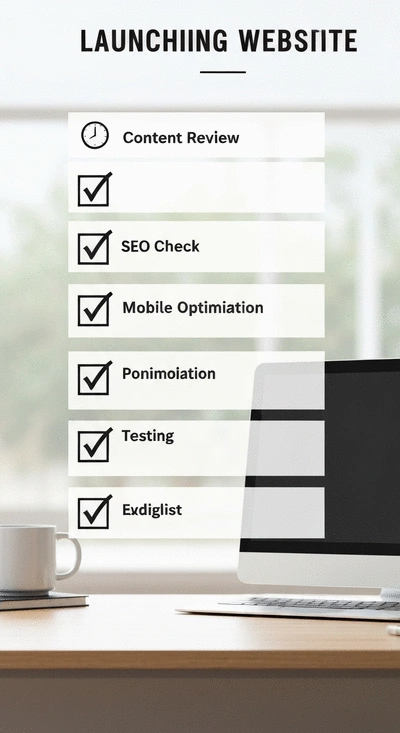
Reflect on the crucial steps you’ve taken for a successful launch. Below is a visual summary of these steps. To learn more about building your online presence, check out our beginner's guide to building a website.
Identify what you aim to achieve with your portfolio.
Choose a platform that meets your technical skill level.
Outline key pages and navigation to guide users effectively.
Develop engaging project descriptions and visuals.
Enhance your site’s visibility with effective SEO strategies.
Creating a portfolio website is your chance to showcase your unique talents and skills! It's more than just a collection of your work; it's a reflection of who you are and what you stand for. By understanding the purpose of your portfolio, you can set clear goals that guide your design and content choices. So, let's dive in and explore how to craft a vision that aligns with your personal and professional aspirations!
When you think about your portfolio website, consider what you want to achieve. Is it to attract potential employers, land freelance gigs, or build a personal brand? Whatever your goal may be, having a well-defined purpose will not only shape your website's content but also enhance your ability to connect with your audience.
Start by taking a moment to jot down your specific goals. Here are a few common objectives that many aspiring creators have:
Once you have this list, prioritize your goals based on what matters most to you. This clarity will inform how you present your work and guide your website's overall structure.
In today’s digital age, having a professional online presence is crucial! Your portfolio website serves as your digital business card—it's often the first impression potential clients or employers will have of you. Therefore, creating a polished and engaging online space is key to standing out in a competitive landscape.
A well-crafted portfolio not only showcases your work but also demonstrates your professionalism and attention to detail. By utilizing tools and resources available at Website Design Free, you'll find it easier to build a site that resonates with your audience and leaves a lasting impression!
Portfolios can take many forms, depending on your field and goals. Here are some common types of portfolios you might consider:
By understanding the different types of portfolios, you can better decide which format aligns with your goals and the audience you want to reach. Remember, your portfolio is a living document; it will evolve as you grow and gain new experiences!
Now that you have a clear vision for your portfolio, the next step is to choose the right tools and platforms to bring that vision to life. With so many options available, it's essential to find a solution that suits your technical skill level and design preferences. At Website Design Free, we focus on beginner-friendly platforms that can help you create a stunning portfolio without overwhelming you!
Whether you prefer the drag-and-drop functionality of Wix or the more design-centric approach of Squarespace, there’s a perfect fit for everyone. Let’s break down some popular website builders to help you make an informed choice!
Each website builder offers unique features, and understanding these can help you select the best one for your needs. Here’s a quick comparison of a few popular options:
Think about your comfort level with technology, your design needs, and the features that matter most to you. This will help you choose the right platform to kickstart your portfolio creation journey!
Let’s take a closer look at these two popular options:
Ultimately, your choice should reflect your personal style and the impression you want to create with your portfolio. Take some time to explore these platforms, and you’ll find one that resonates with your vision!
When crafting your portfolio website, consider incorporating a personal touch through storytelling. Share the journey behind your projects, your creative process, and what inspires you. This not only engages visitors but also helps them connect with your work on a deeper level, making your portfolio memorable.
As we reach this stage of your portfolio website creation, it’s essential to take a moment to reflect on the journey you’ve undertaken! You've defined your vision, chosen the right tools, and even crafted engaging content. Each step has brought you closer to launching a professional online presence that showcases your skills and creativity. Let’s summarize the crucial steps you’ve taken to ensure you’re ready for a successful launch.
By following these steps, you're not just ready to launch; you're also set for a successful journey ahead. Remember, this is just the beginning of a continuous process of refinement and engagement!
The digital landscape is always changing, and your portfolio should evolve along with it. After launching your site, it's crucial to plan for future updates to keep your content fresh and relevant. Set aside time every month to review your portfolio and update any outdated projects or information.
These regular updates not only keep your portfolio dynamic but also show visitors that you are actively engaged with your work. It’s a great way to maintain a professional online presence!
Now that your portfolio is launched, it’s time to explore additional resources to further enhance your skills. At Website Design Free, I’ve curated a variety of tutorials and guides tailored for beginners who want to dive deeper into web design. Here are some resources I recommend:
By leveraging these resources, you’ll be empowered to improve your portfolio and gain confidence in your web design abilities. Don't hesitate to dive in!
One of the best ways to grow is through feedback. Once your portfolio is live, encourage visitors to share their thoughts and suggestions. Creating an open environment for feedback not only improves your site but also enhances user engagement. Consider adding a feedback form or integrating social media sharing options to facilitate this process.
Continuous learning and adapting will ensure your portfolio remains relevant and impactful. Remember, the journey doesn’t end here—let’s keep building and improving together!
Here is a quick recap of the important points discussed in the article:
A portfolio website's main purpose is to showcase your unique talents, skills, and work in a digital format. It serves as a professional online presence to attract potential clients, employers, or to build a personal brand by reflecting who you are and what you stand for.
Choosing the right website builder depends on your technical skill level and design preferences. Popular options include Wix for user-friendly drag-and-drop functionality, Squarespace for visually striking designs, and WordPress for high customizability (though with a steeper learning curve). Consider your comfort level with technology and the features most important to you.
Portfolios can be categorized into several types based on their focus: Creative Portfolios (for artists, photographers, designers), Freelance Portfolios (for showcasing various client projects), Professional Portfolios (for job seekers highlighting skills and achievements), and Blog Portfolios (for writers and content creators to share expertise through articles).
In the digital age, a professional online presence is crucial because your portfolio website often creates the first impression for potential clients or employers. A well-crafted site demonstrates your professionalism, attention to detail, and helps you stand out in a competitive landscape.
It's crucial to plan for regular updates to keep your portfolio fresh and relevant. This could involve reviewing and updating content monthly, adding new projects or testimonials as they arise, and adjusting SEO strategies based on performance analytics. Regular updates ensure your portfolio remains dynamic and shows active engagement with your work.