Drag-and-Drop vs CMS Platforms

Posted on: 2026-06-05
By: Elena Rivers
Have you ever found yourself torn between a drag-and-drop website builder and a content management system? Understanding the differences can significantly impact your online presence and ease of website creation. Let's explore the key insights you'll gain from this comparison.
What You Will Learn
- Drag-and-Drop Builders: Designed for beginners, these platforms offer intuitive interfaces and quick setup, making them ideal for personal portfolios or small businesses.
- Content Management Systems (CMS): While they have a steeper learning curve, CMS platforms like WordPress provide extensive customization, scalability, and SEO tools for more complex websites.
- Key Comparison Factors: Your choice should depend on your specific needs, whether prioritizing ease of use or advanced features and customization.
- Recommendations Based on Use Case: Small business owners may benefit from drag-and-drop builders, while bloggers and e-commerce sites should consider CMS platforms for greater control and functionality.
Pros and Cons: Drag-and-Drop Builders vs CMS Platforms
Key differences to consider when choosing between drag-and-drop builders and CMS platforms. For a more detailed guide on selecting the right platform for your needs, check out our guide to choosing the best website builder.
Drag-and-Drop Builders
Pros:
- Easy to use, no coding required
- Quick setup and deployment
- Visual editing tools make design intuitive
Cons:
- Limited customization options
- Potential vendor lock-in
- Less flexibility for scaling
CMS Platforms
Pros:
- Highly customizable and flexible
- Greater control over content and SEO
- Suitable for larger, complex websites
Cons:
- Steeper learning curve
- Requires more technical knowledge
- Longer setup times
Understanding the Landscape: Drag-and-Drop Builders vs CMS Platforms
When it comes to creating a website, choosing the right platform is crucial. Have you ever found yourself wondering about the differences between drag-and-drop builders and content management systems (CMS)? Both options offer unique advantages, but they serve different purposes depending on your needs. In this section, let’s dive deeper into what each type of platform offers.
Defining Drag-and-Drop Builders: Ease of Use and Accessibility
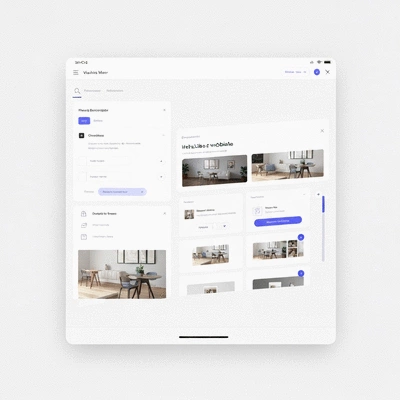 Drag-and-drop builders like Wix and Carrd are designed with simplicity in mind. They allow users to create websites by simply dragging elements into place, which is fantastic for beginners. If you’re just starting out or want to build a personal portfolio, this type of builder might be the perfect fit for you.
- Intuitive Interface: With user-friendly dashboards, you can easily navigate to design your site without any technical skills.
- Quick Setup: You can have a basic site up and running in a matter of hours!
- Templates Available: Many platforms offer a variety of pre-designed templates that you can customize to fit your style.
These features make drag-and-drop builders a popular choice for individuals and small businesses looking to establish an online presence without the steep learning curve. To learn more about getting started with a user-friendly platform, explore our Wix website builder guide.
Exploring CMS Platforms: Flexibility and Control
On the other hand, content management systems (CMS) like WordPress offer a different set of benefits. While they have a steeper learning curve, they provide users with greater flexibility and control over website functionality. This makes them particularly suitable for more complex sites that require advanced features.
- Customization: CMS platforms allow for extensive customization through themes and plugins, enabling you to tailor your site exactly how you want.
- Scalability: As your website grows, a CMS can easily accommodate additional functionality and content.
- SEO-Friendly: Many CMS options come with built-in SEO tools, which can help your site rank better in search engines.
If you’re considering launching a blog, e-commerce site, or a business platform, a CMS might be the better choice to allow for future growth and customization.
Key Comparison Factors: Making the Right Choice
Deciding between a drag-and-drop builder and a CMS requires careful consideration of your specific needs and goals. In the following sections, we’ll explore various factors to help you make the best choice for your website journey.
Pro Tip
When deciding between a drag-and-drop builder and a CMS, consider starting with a builder if you're new to web design. However, keep in mind the long-term vision for your site. If you anticipate growth or need advanced features, it might be worth investing time in learning a CMS, like WordPress, from the start. This foresight can save you time and effort in the long run!
Summarizing the Key Differences: Drag-and-Drop Builders vs CMS Platforms
When it comes to choosing between drag-and-drop builders and CMS platforms, understanding the core differences is crucial. Each option has its unique strengths and weaknesses that cater to different needs. In this section, I’ll highlight the main pros and cons of each platform, allowing you to make an informed decision.
Quick Reference Table: Pros and Cons of Each Platform
| Platform Type | Pros | Cons |
|---|---|---|
| Drag-and-Drop Builders |
|
|
| CMS Platforms |
|
|
This table provides a clear overview of what you can expect from each platform. By weighing these factors, you'll gain a better understanding of what best suits your needs. Whether you're starting your first website with Website Design Free or diving into a more complex project, knowing the differences can guide your choice! For a more in-depth comparison, consider reading our article on WordPress vs. Wix: Making Your Choice.
Recommendations Based on Business Type and Needs
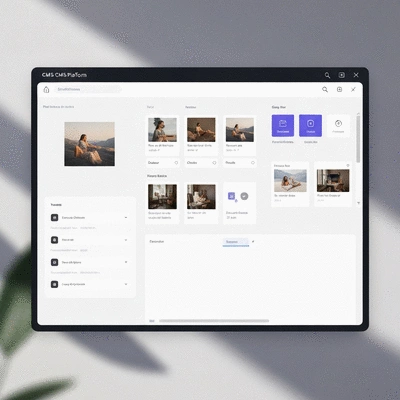 Choosing the right platform is not just about features; it’s about aligning your choice with your specific business goals. Let’s break it down:
- Small Businesses: If you're a small business owner just starting, I recommend a drag-and-drop builder. Its ease of use means you can get your site up quickly without technical headaches!
- Content Publishers: For bloggers or content-heavy sites, a CMS platform is the way to go. The control over SEO and content management ensures you can grow your audience effectively.
- E-commerce Stores: Consider your future growth when choosing between Shopify and Wix. Both have their strengths depending on your business model, so weigh features carefully.
This tailored approach helps ensure that your platform choice supports your vision and operational needs. As you consider these recommendations, remember that I'm here to help you through the process, whether you’re looking for tutorials or resources to get started!
Frequently Asked Questions (FAQs)
- Q: What is the main difference between a drag-and-drop website builder and a CMS platform?
- A: Drag-and-drop builders are designed for ease of use and quick setup, requiring no coding. CMS platforms, while having a steeper learning curve, offer extensive customization, scalability, and greater control for complex websites.
- Q: Which platform is better for a beginner with no coding experience?
- A: Drag-and-drop builders like Wix or Carrd are generally better for beginners due to their intuitive visual editing tools and quick setup process.
- Q: Can a drag-and-drop builder be used for an e-commerce store?
- A: Yes, many drag-and-drop builders offer e-commerce functionalities, but CMS platforms often provide more robust features and scalability for growing online stores.
- Q: What are the main benefits of using a CMS platform like WordPress?
- A: CMS platforms offer high customization through themes and plugins, excellent scalability for growing websites, and advanced SEO tools for better search engine rankings.
- Q: What factors should I consider when choosing between these two options?
- A: Consider your technical comfort level, budget, long-term goals for your website, the level of customization needed, and whether you prioritize ease of use or advanced features.
Next Steps: Making Your Decision
Now that you have a clearer picture of the differences between drag-and-drop builders and CMS platforms, it’s time to assess your options further. This next phase involves evaluating your budget and long-term goals to ensure you make a choice that aligns with your vision.
Assessing Your Budget and Long-Term Goals
Budgeting is key! Consider not only the initial costs but also the long-term investment. Ask yourself:
- What features do I absolutely need for my website?
- Am I planning to expand my site in the future?
- What is my comfort level with technology and website management?
These questions will help you clarify your priorities. If you’re still unsure, feel free to reach out! I’d love to provide more insights or suggestions tailored to your situation.
Final Thoughts: Choosing the Right Platform for Your Journey
As you embark on this exciting journey of creating your website, remember that both drag-and-drop builders and CMS platforms have their unique advantages. The right choice ultimately depends on your personal needs and business objectives. I believe that with the right information and tools, you can build a stunning online presence!
Don’t hesitate to explore the resources available at Website Design Free for tutorials and guides that can help you no matter which path you choose. Let’s create something amazing together!
Recap of Key Points
Here is a quick recap of the important points discussed in the article:
- Drag-and-Drop Builders: Ideal for beginners due to their intuitive interfaces and quick setup, making them perfect for personal portfolios and small businesses.
- Content Management Systems (CMS): Offer greater flexibility and control, suitable for complex websites that require extensive customization and advanced features.
- Pros and Cons: Drag-and-drop builders provide ease of use but limited customization, while CMS platforms are highly customizable but come with a steeper learning curve.
- Recommendations: Small businesses should consider drag-and-drop builders for quick launches, while content publishers and e-commerce sites may benefit more from CMS platforms for scalability.
- Budget and Goals: Assess your budget and long-term goals to make an informed decision about the platform that best suits your needs.
 Have you ever wondered how the multimedia content on your website affects its speed and user engagem
 Choosing the right platform for your e-commerce site can make all the difference. With platforms lik
 As the digital landscape becomes increasingly complex, prioritizing website security is no longer op