Unlock Your Website Potential!

Join Elena Rivers' community for beginner-friendly tutorials, design tips, and free resources to build your stunning website.

Design Tips for Quick Websites


Best Practices for Fast Loading Websites: Design Tips to Improve Speed

Posted on: 2025-12-05
By: Elena Rivers


Fast-loading websites are no longer just a luxury; they are essential for retaining visitors and driving conversions. Are you ready to transform your website's performance and user experience? Here’s what you need to know!

What You Will Learn

  • Website speed significantly affects user satisfaction and engagement; faster sites lead to happier visitors.
  • A delay of just one second in loading time can increase bounce rates dramatically, impacting conversions.
  • Core Web Vitals—Largest Contentful Paint, First Input Delay, and Cumulative Layout Shift—are crucial metrics for tracking website performance.
  • Regular speed audits and utilizing performance testing tools can help maintain optimal website speed over time.

Impact of Load Time on User Engagement

The following statistics highlight the significant relationship between website loading speed, bounce rates, and conversion rates. To ensure these metrics are always favorable, consider exploring essential website design tips for beginners.

40% of Users Abandon

Users tend to leave a website that takes longer than three seconds to load.

Load Time Under 2 Seconds

Websites that load within this timeframe have significantly higher conversion rates.

Effect of One Second Delay

Even a one-second delay in load time can lead to a dramatic increase in bounce rates.

Investing in Load Times

Focusing on optimizations can lead to increased revenue and customer retention.

Understanding the Importance of Fast Loading Websites

Let’s face it: in today's digital world, website speed is crucial! When users visit a website, they expect it to load swiftly. A fast-loading website not only keeps visitors happy but also encourages them to engage with your content. After all, who wants to wait around for a page to load? By prioritizing speed, you're setting your site up for success, ensuring that visitors stick around instead of bouncing away.

As someone who's passionate about web design, I’ve seen firsthand how speed can make or break a user's experience. A smooth browsing experience fosters trust, while a laggy site can lead to frustration and lost opportunities. So, let’s dive into why website speed matters and how it impacts your online presence!

Why Website Speed Matters for User Experience

Website speed directly influences user experience, which in turn affects everything from customer satisfaction to brand perception. When a website loads quickly, users are more likely to explore and interact with your content. Conversely, slow-loading pages can lead to a negative experience, causing users to leave before they even see what you have to offer.

  • A fast website enhances user satisfaction.
  • Improved loading speed increases time spent on the site.
  • Quick load times can boost overall site engagement.

By understanding the relationship between speed and user experience, we can begin to appreciate why optimizing load times should be a top priority in web design. For those looking to build their first online presence, learning how to build a website with a beginner's guide can set the foundation for a fast and user-friendly site.

The Impact of Load Time on Bounce Rates and Conversions

Did you know that even a one-second delay in load time can lead to a dramatic increase in bounce rates? Users tend to leave a site if it takes too long to load, which can negatively impact conversion rates. For example, if you’re running an online business, high bounce rates could mean potential customers are slipping away without making a purchase!

  • According to studies, 40% of users abandon a website that takes more than three seconds to load.
  • Sites that load within two seconds have significantly higher conversion rates.
  • Improving load times can lead to increased revenue and customer retention.

By focusing on load times, you’re actually investing in your website's overall success. Think about it: every second counts when it comes to engaging users and driving conversions!

Exploring Core Web Vitals and Their Role in Website Performance

Core Web Vitals are essential metrics that directly relate to user experience. They measure how quickly a page loads, how responsive it is, and how stable the content remains during loading. Google has emphasized the importance of these metrics, making them a key component of ranking factors. Focusing on Core Web Vitals can significantly enhance your website's performance.

  • Largest Contentful Paint (LCP): Measures loading performance.
  • First Input Delay (FID): Assesses interactivity.
  • Cumulative Layout Shift (CLS): Evaluates visual stability.

By keeping an eye on these metrics, you can ensure that your website not only meets user expectations but also performs well in search engine rankings. Let’s embrace these vital signs of website health to improve user experience and bolster engagement!

Person using a laptop with a speed-related graph on screen, illustrating website performance optimization

Fundamental Design Principles to Enhance Website Speed

Now that we understand the importance of speed, it's time to explore how design choices can help enhance website performance. With a few strategic adjustments, you can create a fast-loading site that delights your visitors. Here are some fundamental principles to consider!

  • Design layouts with speed in mind.
  • Optimize visual content effectively.
  • Implement technical strategies to boost performance.

With these principles in place, you'll be well on your way to creating a website that not only looks great but also performs exceptionally well! Let’s dive deeper into how layout and visual optimization can play a significant role in website speed.

Interactive Poll: We Want to Hear From You!

What aspect of website speed do you find most challenging? Share your thoughts below:

FAQs About Website Speed and Performance

Website speed directly impacts user satisfaction and engagement. Fast-loading sites keep visitors happy, encourage interaction, and reduce the likelihood of users abandoning your site due to frustration.

Even a one-second delay in load time can dramatically increase bounce rates, as 40% of users abandon a website that takes more than three seconds to load. Faster load times (under two seconds) correlate with significantly higher conversion rates and increased revenue.

Core Web Vitals are essential metrics (Largest Contentful Paint, First Input Delay, and Cumulative Layout Shift) that measure loading performance, interactivity, and visual stability. Google uses them as a key ranking factor, making them crucial for both user experience and SEO.

Popular tools for speed audits include Google PageSpeed Insights, GTmetrix, and WebPageTest. These tools analyze your site, provide detailed reports on loading times, and suggest actionable recommendations for improvement.

Maintaining speed involves continuous monitoring of Core Web Vitals, conducting regular speed audits, and utilizing performance testing tools like Pingdom or New Relic. Proactive optimization ensures your website remains fast and efficient.

Maintaining Speed and Performance Over Time

Once you’ve invested time and effort into building a fast-loading website, it’s crucial to keep that momentum going! Just like a well-tuned engine, your website requires regular check-ups to ensure it continues performing at its best. In this section, we’ll explore various strategies to monitor and maintain your site’s speed effectively.

By focusing on Core Web Vitals, conducting regular speed audits, and using performance testing tools, you can continuously improve your website’s loading times. Trust me, these proactive measures not only enhance user satisfaction but also improve your search engine rankings! For more comprehensive guidance, consider exploring how to optimize your site structure today.

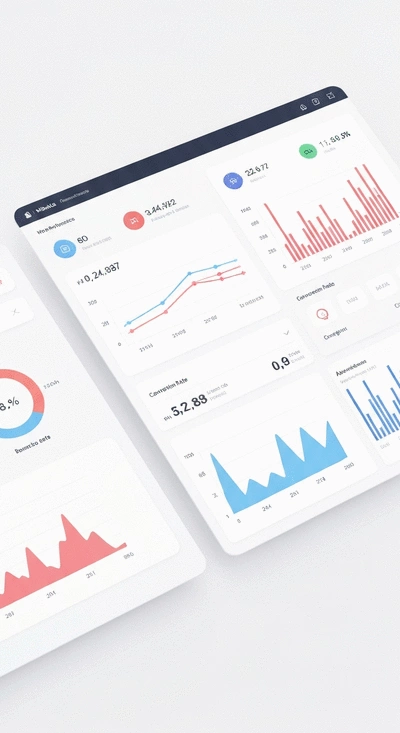
Digital dashboard showing website performance metrics, with graphs and data points, illustrating continuous monitoring

Monitoring Core Web Vitals for Continuous Improvement

Core Web Vitals are vital metrics that help you understand how users experience your website. They focus on three main aspects: loading performance, interactivity, and visual stability. Keeping an eye on these metrics is essential for ensuring your site remains user-friendly.

  • Largest Contentful Paint (LCP): Measures loading performance; aim for under 2.5 seconds.
  • First Input Delay (FID): Evaluates interactivity; target below 100 milliseconds.
  • Cumulative Layout Shift (CLS): Assesses visual stability; aim for a score below 0.1.

By regularly checking these Core Web Vitals, you can identify areas for improvement, helping you maintain a high-performing site that keeps visitors engaged!

Regular Speed Audits: Tools and Techniques

Conducting speed audits is a proactive approach to ensure your website remains optimized. There are several tools and techniques available to help you assess loading times and pinpoint issues. Here are some favorites:

  • Google PageSpeed Insights: Analyzes your site and provides actionable recommendations for speed improvements.
  • GTmetrix: Offers detailed reports on loading times, visualizes your site’s performance, and suggests optimizations.
  • WebPageTest: Provides advanced testing options, allowing you to simulate real-world conditions.

Scheduling regular audits with these tools can keep your website in top shape, ready to deliver fast load times to your audience!

Utilizing Performance Testing Tools for Ongoing Optimization

To maintain your website’s speed, take advantage of performance testing tools that automatically track loading times and performance metrics. These tools can alert you to potential issues before they impact your visitors. Some popular options include:

  • Pingdom: Monitors your website’s uptime, performance, and interactions, helping you stay informed.
  • New Relic: Offers in-depth performance monitoring and diagnostics for complex sites.
  • SiteSpeed.io: A comprehensive tool that measures various performance metrics and provides insights into improvements.

Using these tools not only helps you identify slowdowns but also enables you to make informed decisions about necessary optimizations, ensuring your website remains fast and efficient! For those managing WordPress sites, understanding a WordPress guide for new users can further assist in maintaining optimal performance.

Recap of Key Points

  • Website speed is crucial for user satisfaction and engagement.
  • Slow-loading websites can lead to high bounce rates and lost conversions.
  • Core Web Vitals are essential metrics to monitor for optimizing performance.
  • Design principles such as layout optimization and technical adjustments enhance speed.
  • Regular speed audits and performance testing tools are vital for maintaining website speed.

Subscribe & Share
Directing Attention with Visual Hierarchy How to Use Visual Hierarchy to Guide Visitors’ Attention Effectively Would you like to elevate your web design skills and create a user-friendly website that captures at
WordPress vs Wix for Portfolios Pros and Cons of Using WordPress vs Wix for Portfolio Websites In the world of web design, the choice between platforms can dictate not only the look of your portf
Build Your Blog with Free Tools Blog Website Tutorial: Building and Customizing Your Blog with Free Tools Are you ready to embark on a journey that transforms your ideas into a vibrant online presence? The
Banner
Website Design Free

Your go-to resource for mastering website creation without coding. We help beginners and small businesses with practical tutorials, tool comparisons, and expert design tips.

Trusted by aspiring web designers, our mission is to provide accessible, easy-to-follow insights backed by Elena Rivers' years of digital design expertise.

Learn More
Recent Posts
How to Use Visual Hierarchy to Guide Visitors’ Attention Effectively Directing Attention with Visual Hierarchy

Would you like to elevate your web design skills a

Pros and Cons of Using WordPress vs Wix for Portfolio Websites WordPress vs Wix for Portfolios

In the world of web design, the choice between pla

Blog Website Tutorial: Building and Customizing Your Blog with Free Tools Build Your Blog with Free Tools

Are you ready to embark on a journey that transfor

Quick Tips for Your Website Design Journey